
Your menu changes.Your QR code stays.
Products, prices and the way your menu looks. Manage everything from one workspace, so your guests always see the latest version.
We help with setup. You take it from there.
For your business
Let’s meet your menu.
Tell us about your business. We will find the right layout and setup together.
- Start with your existing menu
- Choose a format together
- Let us handle the setup
This form creates a demo and setup request.
What your guests see
Your content. Your kind of menu.
A coffee list, a dessert showcase or an evening menu. Choose a layout that fits your business and the content you already have.
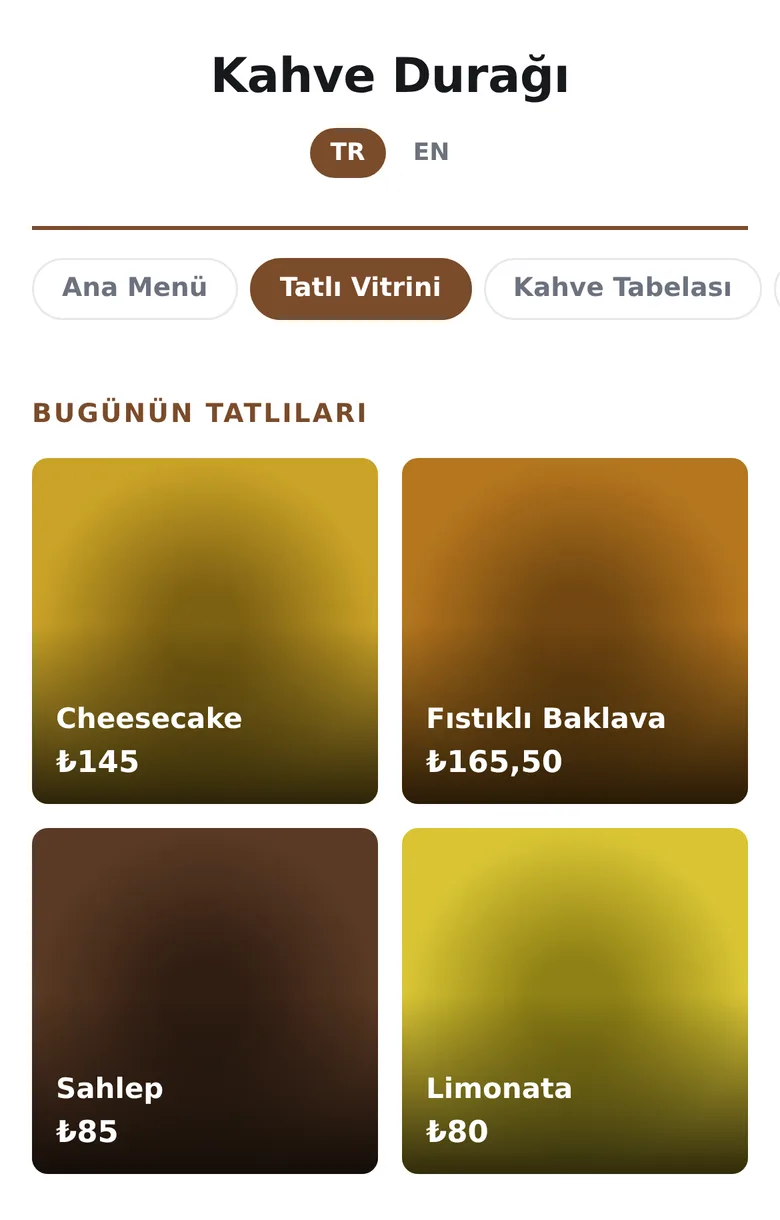
Showcase
Give your products the spotlight with large photos.
View full size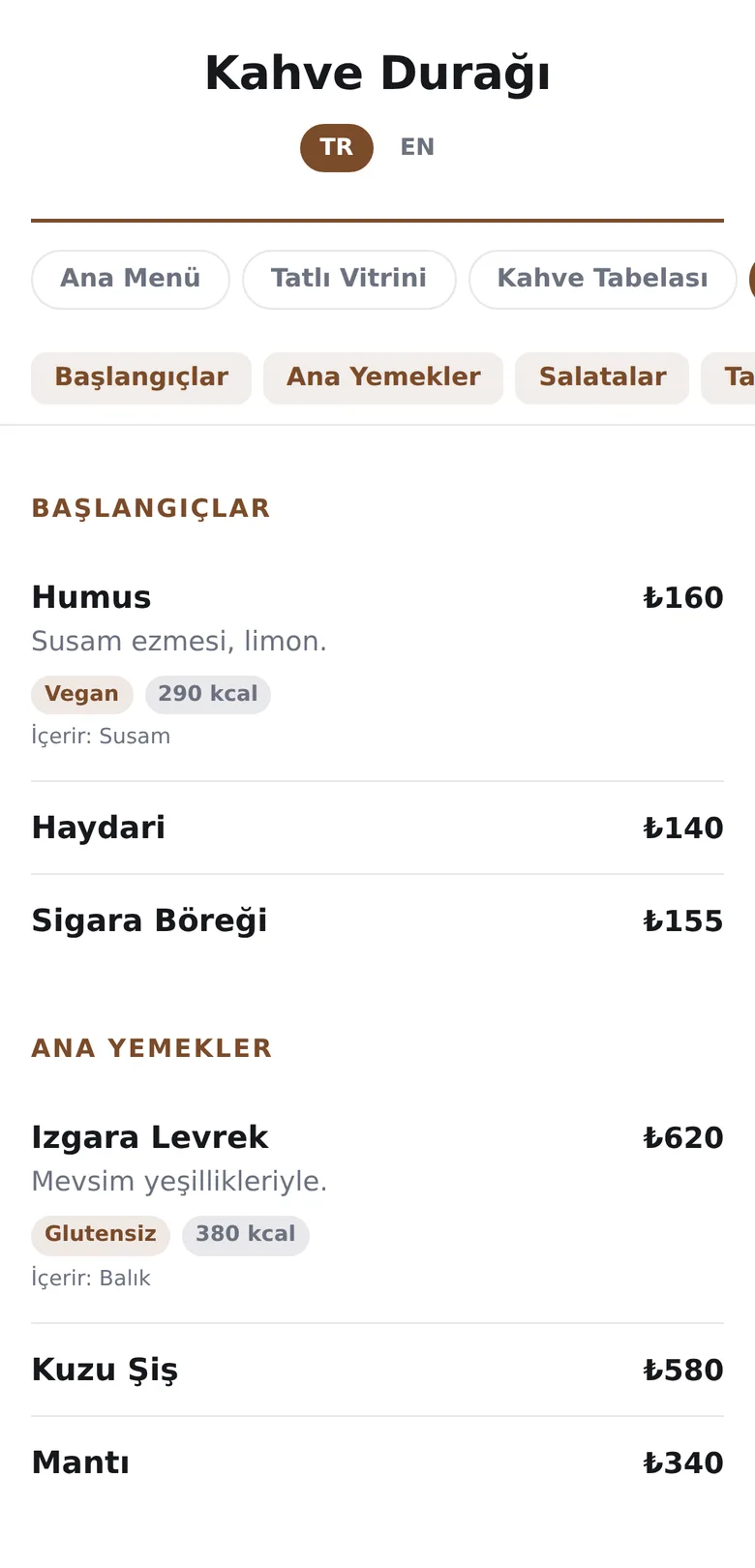
Tabbed catalogue
Make longer menus easy to browse, with a tab for each category.
View full size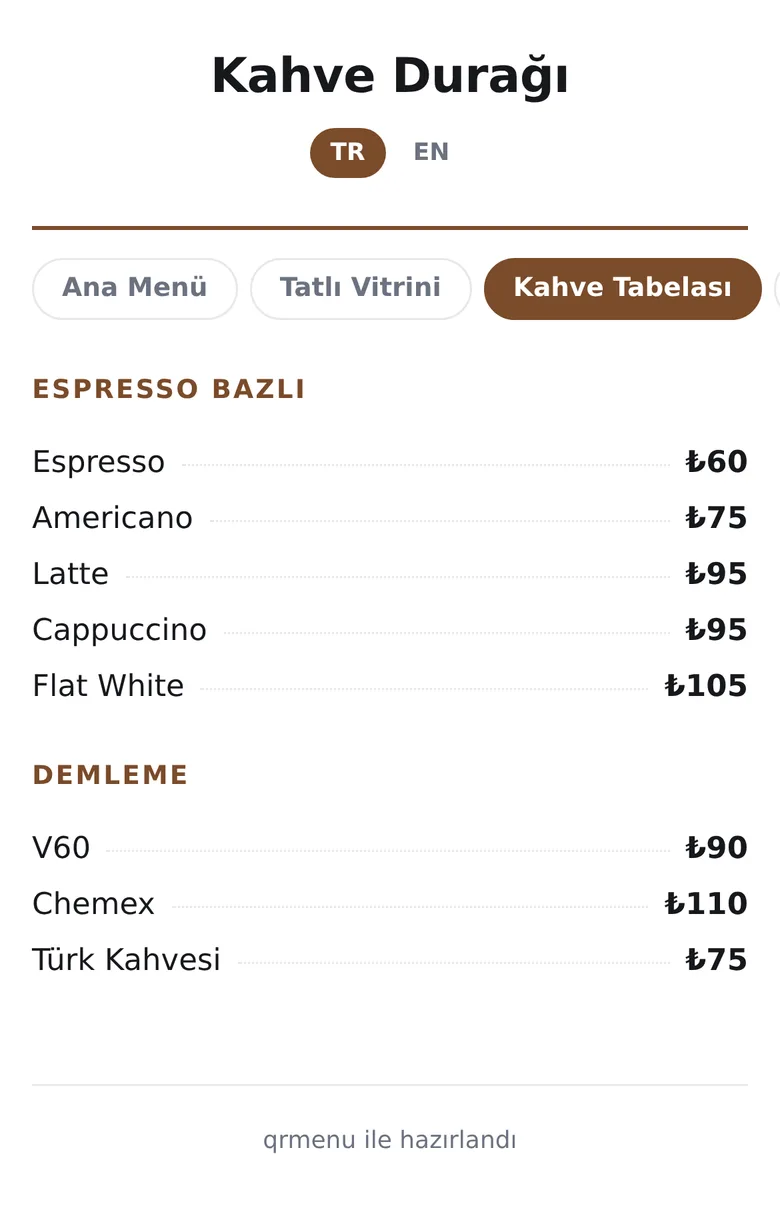
Board
Categories and prices together, like the board above the counter.
View full sizeClassic list
Items, categories and prices in a clean, easy-to-read layout.
Image pages
Already have a design? Upload the pages as they are.
PDF
If your menu is a PDF, publish it directly.
The details matter
One place for everyday menu work.
From daily updates to printed menus. Ready for your team, right there on your guest’s phone.
Bulk price updates
Set a percentage change for a menu, a category or all products. Preview the result, then apply it now or schedule it for later.
One QR, two languages
If the guest's phone is in English, the menu opens in English. No separate code to print for tourists.
Your colours
The menu should look like your brand. Colour, typeface and corner style are set from the panel.
Allergens and calories
14 allergens, dietary tags and calorie information. Vegetarian, vegan and gluten-free labels included.
Understand menu visits
Explore menu views by day, hour and language. See which menus attract attention and when.
Printed menus too
Create A4 menus and price lists from your products. When prices change, print an updated copy from the panel.
Getting started
Let’s get your first menu ready.
Start with the menu you have. We help you get set up; you handle everyday updates from your workspace.
- 01
Write to us
Tell us about your venue and the menu you have.
- 02
We prepare your menu
We enter the items and photos; we pick the format together.
- 03
Put the QR on the tables
Download your code ready for print. After that you update everything yourself.
Do guests need to download an app?
No. Guests scan the QR code with their phone's camera and the menu opens in their browser. No app or account needed.
Can I use my existing PDF or menu images?
Yes. Publish your existing menu with the PDF or image page format. If you'd like to edit individual items and prices in the panel, we can help set up one of the list formats.
Do I need to reprint the QR code when prices change?
No. When you update items, prices or files in the same menu, your existing QR code keeps working. Guests see the updated menu.
Who handles the first setup?
We do. Share your menu and photos; we'll enter the items and help you choose a look. You can make future updates yourself in the panel.